
- For tradespeople
- 5.0 on Google · 50 reviews
How it works.
Ten parts. Ten minutes. Skip to the bit you care about, or read it top to bottom once and you’ll know exactly what we do and what we need from you.
The deal, in one paragraph
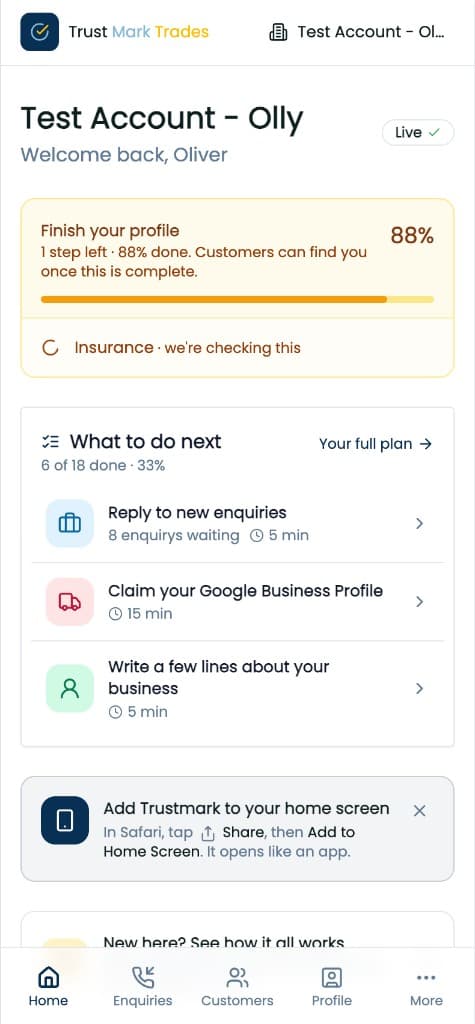
Most trades don't fall behind because they're bad at the job. They fall behind because nobody asked the happy customer for a review, the Facebook page went quiet in March, and the website still says 2019. We take all three off your plate, and we hang the whole thing off one habit: when you finish a job, you log it on your phone. Two minutes. Everything below follows from that.
- You
- Log the job when it's done
- Us
- Everything else on this page
Your website
We build you a proper site for your trade: your services, a page for each area you cover, your photos, your reviews, your contact details. It's written for your business, not copied from a template.
Then we keep it up to date. New photos, a price change, a new area, your latest jobs: send them over and they're on the site. Hosting, security and updates are all ours.
- You
- Tell us your services and your towns, and send a few photos
- Look at a new page before it goes live
- Us
- Build it and host it
- A page for each area you cover
- Keep it current when things change
Reviews
When you mark a job done, we email the customer from your business name with a link. The link takes them to your Google or Facebook review page, their choice. If they don't act, one reminder a few days later. Then we stop. Nobody gets pestered.
We send people to your own Google and Facebook pages rather than collecting reviews on our site, because that's where homeowners already look.
For customers you meet in person, there's a QR code for the van and invoices that opens the same page.
- You
- Mark the job done
- Paste in your Google and Facebook review links, once
- Us
- Send the ask
- Send one reminder
- Show you whether it was opened and tapped
Posts
A Facebook page that hasn't posted since Easter says one thing to a customer: are they still trading? So: a finished job, one photo, two lines. We put it on your profile, post it to your Facebook Page now or on Sunday evening, and write the version for your Google listing. Google won't let us post that one for you, so you paste it in.
Finished a job in the app? Share it as a post in two taps.
- You
- A photo and two lines
- Connect your Facebook Page, once
- Us
- Post to your profile and Facebook
- Write the Google version
- Keep your website's recent work current
Your verified profile
Your Trustmark profile is the one page with everything: your video at the top, call and email buttons, your team, your photos, your recent posts, and links to your Google and Facebook pages.
Every business on Trustmark has had its insurance and ID checked, and homeowners can see that. It carries weight a Facebook page doesn't.
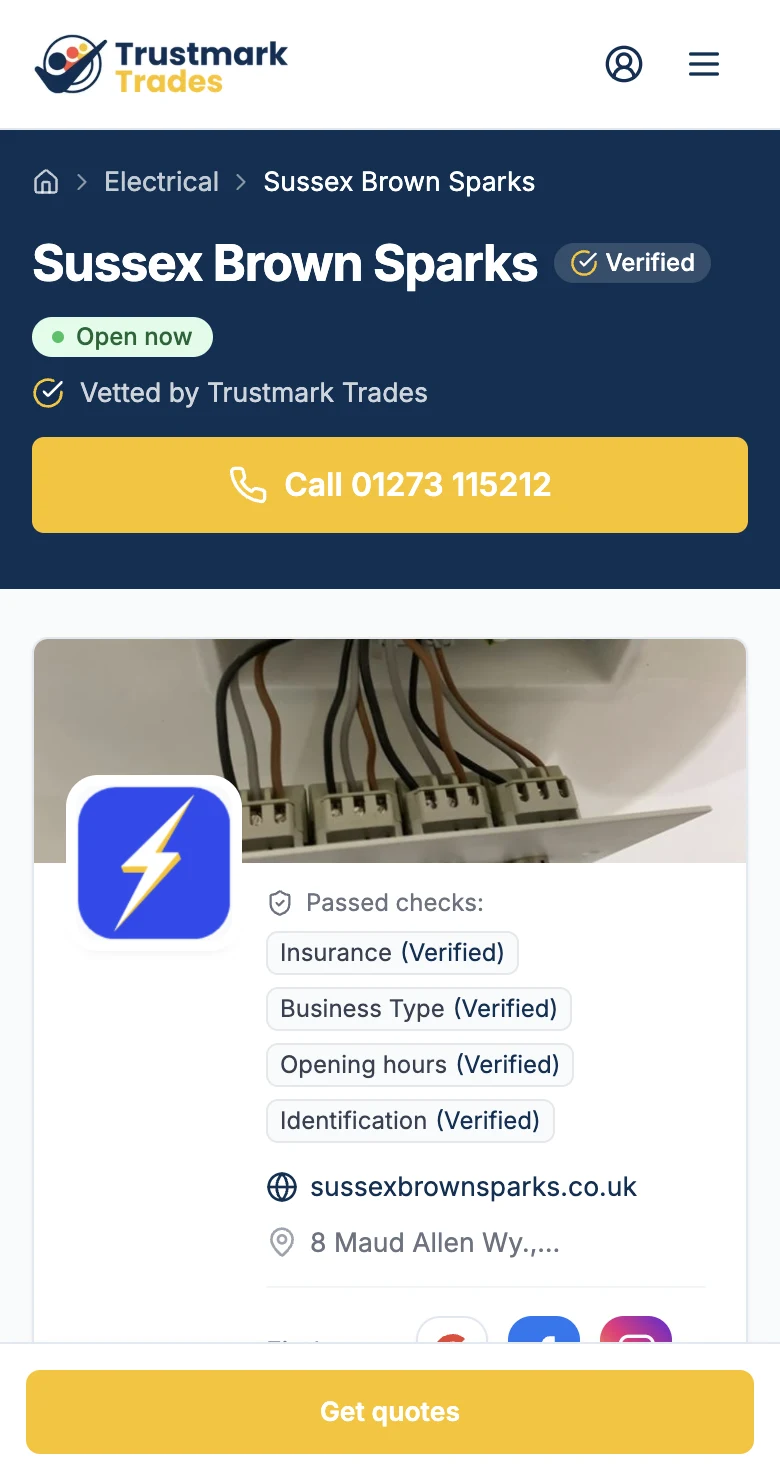
See a live one
Sussex Brown Sparks, electricians in West Sussex, on trustmarktrades.com. The same badge sits on their own website and links back to this page.
Open the profile- You
- Send us your insurance and ID
- Fill in your services and team
- Us
- Check you and show the badge
- Pull in your posts, reviews and video
A local number
You get a landline number for your area. It forwards straight to your mobile, so it costs you nothing to answer. Every call that comes through it is written down: the number, when, how long. One you miss is there on a list to ring back.
The number stays yours if you change phones.
- You
- Pick a number
- Tell us which mobile to send it to
- Us
- Forward the calls
- Log them
- Show you the numbers
A short video of you
People hire people. Sixty seconds of you talking in the van does more than any amount of text. Say who you are, how long you've been at it, what you do most, where you cover, and one thing customers thank you for. Most people watch on mute, so we add captions.
- You
- Film it on your phone
- Upload it
- Us
- Caption it
- Put it at the top of your profile
Customers and jobs
A list of your customers and the jobs you did for them, kept somewhere better than a notebook in the van. Four stages: lead, quoted, booked, done. Move a job along and the review ask, the post and the website update follow from it. Repeat customers are already there next time.
- You
- Add the customer
- Move the job along
- Us
- Trigger the review ask
- Turn the job into a post in two taps
The van, the invoices, the business cards
A short link and QR code for each place you're seen: van, invoices, Facebook bio. Each one counted on its own, so you can see which is doing the work. Pick a business card, flyer, invoice strip, van panel or roller banner, and we do the artwork with your logo and link, ready to send to any printer.
- You
- Pick what you want printed
- Send it to the printer
- Us
- Make the links and codes
- Do the artwork
- Count the scans
What's working
All of the above leaves a trace: a profile visit, a scan on the van, a tap to your Google page, a call to your number. We add them up for the week, the month or the quarter, tell you whether each is going up or down, and suggest one thing to do about it. Not a dashboard.
- You
- Look at it once a week
- Us
- Count it
- Say what changed
- Suggest one thing
See it on a real account.
Half an hour on a video call. We’ll walk through all of this on a live member’s account and answer whatever you’re unsure about.